
BACnet Driver New
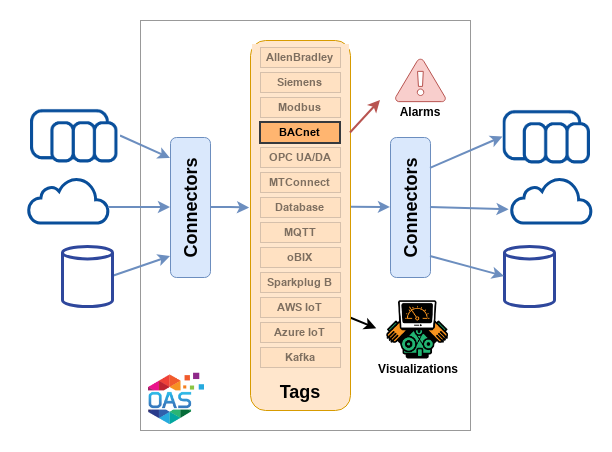
BACnet is the standard protocol of building automation. The OAS BACnet driver reads and writes BACnet/IP devices - controllers, air handlers, chillers, meters and the rest of a building's plant. Each tag reads one property of one object in one device, such as the Present Value of an analog input, and a write to the tag goes back to that property. One driver interface reaches every device on its network: the tag names the device by its device instance number, and the driver finds the device's address for itself.
| Property | Description |
|---|---|
| Direction | Read and write. Writes to commandable objects go in at the tag's Write Priority, and can be released after a set time. |
| Transport | BACnet/IP over UDP, on port 47808 by default |
| Discovery | Devices are found by device instance with WhoIs. Devices on other IP subnets are reached by registering with a BBMD. |
| Reads | Polled with ReadPropertyMultiple, several objects per request, or delivered by Change of Value subscription |
| Objects | Analog, binary and multi-state inputs, outputs and values, accumulators, loops, schedules, calendars, devices and the integer, large analog and character string values |
| Licensing | Requires the BACnet licensed option, on OAS 22.4.0.0 or later |
Getting Started
Bind the driver to the BACnet network, import a device's objects as tags, then read and write them.
Config Reference
Every parameter on the BACnet driver and on a BACnet tag, and what it does.
Devices, objects and properties
A BACnet device holds its data in objects, each with a type and an instance number, such as analog input 3. Each object has properties, such as its Present Value, its Object Name and its Status Flags. A tag whose Data Source is BACnet names all of it: the Device Instance, the Object Type, the Object Instance and the Property. Property defaults to PresentValue, the value most tags want.
You do not have to type the numbers. Import BACnet Objects, under One Click Import on the Tags screen, discovers the devices on the network, lists their objects, and adds a tag for each object you check, with a suggested Data Type. See Import BACnet Objects. On a single tag, Browse… beside Object Instance picks the object from the same list.
Finding devices
The driver finds a device's IP address by broadcasting a WhoIs for its device instance and listening for the device's I-Am. The address is trusted for the Discovery Cache Lifetime, an hour by default, before the driver asks again.
The driver binds to one network interface of the computer, set by Local IP Address. On a computer with a single IPv4 interface the defaults work. On a computer with several - Hyper-V, WSL, Docker and VPN adapters count - set Local IP Address, or the driver cannot open its endpoint. See Network.
A WhoIs broadcast does not cross IP routers. To reach devices on other subnets, turn on Register with BBMD: the driver registers as a foreign device with the network's BBMD and also sends its WhoIs through it. See BBMD.
Polling and Change of Value
By default each tag is polled at its Polling Rate. The driver reads the tags of a device with ReadPropertyMultiple, putting up to Max Objects Per Read objects in each request, and falls back to one object per request when a small device rejects a large one.
With Enable Change of Value on the driver and Use Change of Value on a tag, the driver subscribes to the object instead, and the device sends the Present Value and Status Flags when they change. The subscription is renewed before it lapses. See Change of Value.
Writes
A write to a tag goes to its property. On a commandable object, such as an analog output, the value goes into the slot of the priority array set by the tag's Write Priority, from 1 (highest) to 16 (lowest, the default), and the object follows the highest-priority slot that holds a value. Release After clears the driver's slot a set number of seconds after the write, handing control back to the lower priorities. See Writes.
Related How-To guides
- Getting Started with BACnet - from a driver interface to imported tags, reads and writes.
- BACnet Config Reference - every parameter on the driver and on a BACnet tag.
- Device Connectors - the rest of the device connectors.