
oBIX Driver New
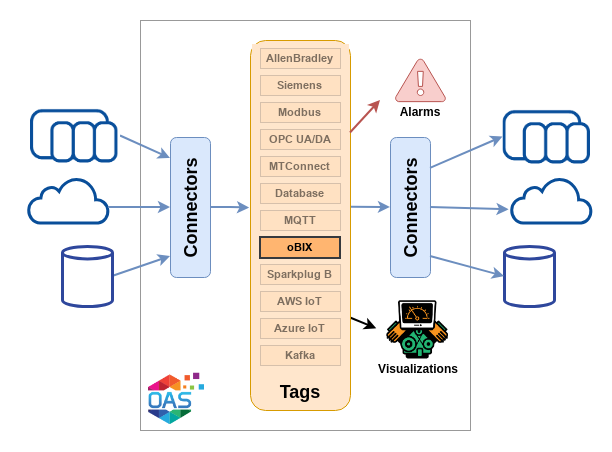
oBIX (Open Building Information Exchange) is an OASIS standard for reading and writing the points of building automation systems over the web. The OAS oBIX connector works in both directions. The driver is an oBIX client: OAS tags follow the points of a remote oBIX server, such as a Niagara station, writes to those tags go back to the server, and the server's alarms can be merged into the OAS real-time alarms. The server is built into the OAS engine and serves OAS tags, alarms, alarm logs and data logs to any oBIX client.
| Property | Description |
|---|---|
| Direction | Read and write. Tags follow points on the server; writes go back by the point's writePoint operation, a PUT of the value or a named operation. |
| Versions | oBIX 1.1 and oBIX 1.0, read from the server's Lobby or set on the driver |
| Transport | REST over HTTP or HTTPS. WebSocket on oBIX 1.1. |
| Encoding | XML on both versions. JSON on oBIX 1.1. |
| Security | HTTP Basic user name and password, with TLS when the Lobby URL is https |
| Reads | A watch, a Lobby batch or one request per point, chosen by Read Mode |
| Alarms | The server's alarms merged into the OAS real-time alarms, with acknowledgement both ways |
| Failover | A second server's Lobby the driver moves to while the primary is offline |
| Licensing | Requires the oBIX licensed option, on OAS 22.2.0.3 or later |
Getting Started
Connect to an oBIX server, test the connection, import points as tags, then read and write them.
Config Reference
Every parameter on the oBIX driver and on an oBIX tag, and what it does.
Read and write oBIX points
To read an oBIX server you create an oBIX driver interface with the server's Lobby URL and the user name and password it needs, then create tags whose Data Source is oBIX. Each tag selects the driver interface and names the Href of the object it reads, relative to the Lobby.
You do not have to type each href. Browse and Add Tags on the driver opens One Click Import, which browses the server's tree and makes a tag for each point you check. On a single tag, the Browse... button beside Href picks the object from the same tree.
A tag can read the object's value, its status, its display text or its unit, set by its Field. A write to the tag goes back to the object. The tag properties are listed under Tag properties.
Discovery
The driver reads the server's Lobby when it connects and uses only what the Lobby offers. With oBIX Version, Encoding and Read Mode left at Auto, it takes the version from the Lobby, uses JSON when the Lobby lists it and XML otherwise, and reads through a watch when the server supports watches. An oBIX 1.0 server gets XML over REST whatever the driver is set to.
Test Connection on the driver reads the Lobby with the user name and password on screen, before anything is applied, and shows the version, vendor, product, encodings, bindings and services the server offers. See Connection.
Alarms
With Import Alarms on, the driver merges the alarms of the server's alarm subject into the OAS real-time alarms. The alarm type, group and priority they take are set on the driver, and acknowledging a merged alarm in OAS can also acknowledge it on the server. Each alarm source the driver has seen can become an AlarmRecord tag. See Alarms.
oBIX Server
The server is part of the same oBIX product feature and runs inside the OAS engine, on ports of its own. It serves the oBIX 1.1 Lobby at /obix/ and an oBIX 1.0 Lobby at /obix10/, on HTTP port 58740 and HTTPS port 58741 by default.
The server is not configured on the driver screen. Its ports, certificate, access and limits are set once for the whole engine on the Options screen, so they are not part of the Config Reference, which covers the client driver. The oBIX Server page lists every server option and what a client sees.
Failover
With failover enabled the driver is given the Failover Lobby URL of a second server and reads from it while the primary is offline. See Failover.
Related How-To guides
- Getting Started with oBIX - a driver interface, imported tags, reads and writes.
- oBIX Server - serving OAS tags to oBIX clients.
- Device Connectors - the rest of the device connectors.