New System
Download either the 32 bit or 64 bit installation from OAS Download
Proceed with the Installation section in Getting Started.

Download either the 32 bit or 64 bit installation from OAS Download
Proceed with the Installation section in Getting Started.

The WPF HMI .NET product provides Human Machine Interface .NET controls and real-time data communications components for Windows Presentation Foundation applications.
The product includes the Windows Services to read and write OAS Tag Parameters and process data to unlimited local and remote applications developed with the OPCWPFDashboard components.
NOTE: If you want to visualize your data in a desktop or mobile browser with zero programming, you may be interested in the OAS Open UIEngine .
The UIEngine is a robust no-code web application and HMI builder for developing rich user interfaces in a browser-based development environment.
See the UIEngine Documentation to learn more.
HMI applications can be developed using Microsoft Visual Studio 2010 to Microsoft Visual Studio 2019 or Microsoft Expression Blend with no programming required. Microsoft Visual Studio 2022 is not supported with tag browsing with the WPF components, but you can still build applications with VS 2022. OAS WinForm HMI does support tag browsing within Visual Studio 2022.
Applications developed with OAS WPF HMI .NET can run locally and remotely when the OAS Engine(s) have networking enabled within the server’s license.
The complete list of all instructional videos can be found in the Videos section.
How OAS differs from proprietary SCADA software and custom software development to blend the best of both.
The Open Automation Software is a flexible, configuration based data platform with a virtually unlimited number of possible use cases and solution implementations. OAS can operate across network boundaries and between private and public networks.
Benefits for system integrators and OEMS using Open Automation Software.
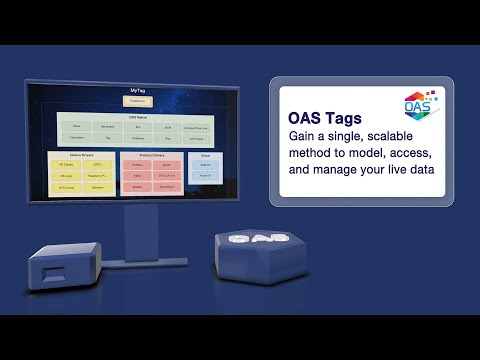
Open Automation Software tags for live data connections.
Getting Started with OAS including installation, setting up Tags, selecting Data Sources and Destinations, and implementing Networking and Security.
Open Automation Software runs as a Service Oriented Architecture with support for unlimited numbers of client applications at no additional cost.
The license for each product feature is activated at the data source where each service runs.
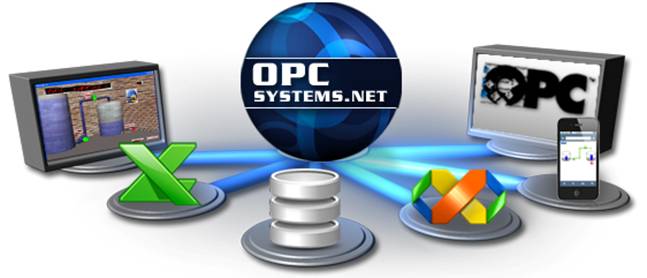
Each product feature includes the data service, connections to OPC Servers, support for calculations, and free programmatic interface for all configurations.
The following sections are a description for each product feature licensing.
Note: Refer to OAS Configuration License on how to enable software product licenses.
The OAS WinForm.NET license enables local and remote applications developed with OPCControls components to communicate with this OAS Service. No license is required for the OPCControls components on remote systems to work with this local OAS Service.
If a license is available real-time data will be provided to all local and remote applications developed with OAS .NET WinForm HMI .NET.
The OAS WPF HMI .NET license enables local and remote applications developed with OAS WPF HMI .NET and OAS Dashboard controls to communicate with this OAS Service. No license is required for the OAS WPF HMI .NET components on remote systems to work with this local OAS Service.
If a license is available real-time data will be provided to all local and remote applications developed with OAS WPF HMI .NET.
The OAS Cross-Platform HMI license enables local and remote applications developed with OAS Cross-Platform HMI to communicate with this OAS Service. No license is required for the OAS Cross-Platform HMI components on remote systems to work with this local OAS Service.
If a license is available real-time data will be provided to all local and remote applications developed with OAS Cross-Platform HMI.
The OAS Web HMI license enables web applications developed with the Web HMI interface to communicate with this OAS Service. No license is required for the remote browsersto work with this local OAS Service.
If a license is available real-time data will be provided to all local and remote web interfaces developed with OAS Web HMI.
The OAS Alarm .NET license enables local and remote OAS Alarm .NET window components to interact with this OAS Service. No license is required for the OAS Alarm .NET components on remote systems to work with this local OAS Service.
If a license is available real-time and historical alarm data will be provided to all local and remote OAS Alarm .NET systems. The OAS Alarm .NET license also enables the Alarm Logging feature for use on the local system.
A valid license will allow logging alarms from the local system and any remote OAS Service with an OAS Alarm .NET or OAS Web Alarm license. Alarm Notification is also enabled with a license of OAS Alarm .NET.
The OAS Web Alarm license enables local and remote OAS Web Alarm window components to interact with this OAS Service. No license is required for the OAS Web Alarm components on remote systems to work with this local OAS Service.
If a license is available real-time and historical alarm data will be provided to all local and remote OAS Web Alarm systems.
The OAS Web Alarm license also enables the Alarm Logging feature for unlimited use on the local system. A valid license will allow logging alarms from the local system and any remote OAS Service with an OAS Alarm .NET or OAS Web Alarm license. Alarm Notification is also enabled with a license of OAS Web Alarm.
The OAS Trend .NET license enables local and remote OAS Trend .NET window components to interact with this OAS Service. No license is required for the OAS Trend .NET components on remote systems to work with this local OAS Service.
If a license is available real-time data will be provided to all local and remote OAS Trend .NET systems. If OAS Data Log license is also available the OAS Trend .NET license will also allow historical data to be retrieved from the local OAS Service.
The OAS Web Trend license enables local and remote OAS Web Trend window components to interact with this OAS Service. No license is required for the OAS Web Trend components on remote systems to work with this local OAS Service.
If a license is available real-time data will be provided to all local and remote OAS Web Trend systems. If OAS Data Log license is also available the OAS Web Trend license will also allow historical data to be retrieved from the local OAS Service.
The OAS .NET Data Connector license enables communications for local and remote applications developed with OASData and OPCSytemsDataConnector assemblies. No license is required for the components on remote systems to work with this local OAS Service.
If a license is available real-time data will be provided to all local and remote applications developed with OAS .NET Data Connector.
The OAS REST API license enables local and remote REST interfaces. No license is required for remote interfaces to this local OAS Service.
If a license is available real-time and historical data will be provided to all local and remote REST clients.
The OAS Data Log license enables local and remote OAS Trend .NET and OAS Web Trend window components to interact with this OAS Service to retrieve historical data and enables local Data Logging from the local OAS Service. Data can be logged to local and remote database engines and CSV files.
The OAS Recipe license enables the local OAS Service to read data from a database source and write to local Open Automation Software Tags.
The OAS Report license enables the local OAS Service to create reports automatically from any valid database source.
The OAS Data Route license enables the local OAS Service to write values to local and remote Tags, OPC Items, and MQTT Brokers.
The OPC Client Connector license enables unlimited local and remote OPC Client connections through each licensed OAS Service.
The OAS Excel Connector license enables local and remote Excel Workbooks to communicate with this OAS Service. No license is required for the OAS Excel Connector on remote systems to work with this local OAS Service. If a license is available real-time data will be provided to all local and remote Workbooks with OAS Excel Connector Real-Time Data formulas.
The OAS Azure IoT license enables the local OAS Service to write values to Azure IoT Data Hub.
The OAS AWS IoT license enables the local OAS Service to write values to Amazon Web Services IoT Gateway.
Open Automation Software supports Data Logging, Alarm Logging, Recipes, .NET Trend and Web Trend History, .NET Alarm and Web Alarm History, and GetDatabaseData calls from .NET and REST API to all versions of SQL Server.
View Microsoft SQL Server 2019 article for hardware and software requirements for SQL Server 2019 on Windows.
View Microsoft SQL Server 2017 and all prior versions article for hardware and software requirements for previous versions of SQL Server on Windows.
View Installing SQL Server on Linux for hardware and software requirements for Linux.
Ensure that you have Administrative privileges on your computer
Download Microsoft® SQL Server® 2008 R2 SP1 – Express Edition with tools form here
64 bit version – SQLEXPRWT_x64_ENU.exe- 980.9 MB
32 Bit Version – SQLEXPRWT_x86_ENU.exe – 308.4 MB
After downloading reboot your computer and close all applications.
Run the downloaded SQLEXPRWT file
Select New Installation:

Accept the license terms and click Next:

Select All and Click Next:

Select Default Instance and select Next:

Select Next:

Select Next:

Select Next:

SQL Server installs…
Click Close:

Open SQL Server Management Studio
Accept the defaults and click Connect:

For best performance choose a 64 bit operating system.
Open Automation Software will take advantage of multiple processors and will evenly distribute processing of the service functions across all processors that are available.
Open Automation Software for Windows minimum hardware requirements would be a single Pentium II with 256 Megs of RAM and 100 Megabyte hard disk. This would be limited to a system that had 10,000 tags or less on the service, trending 1,000 tags, and logging 10,000 tags at a 1 second frequency. The number of clients would be limited to 10 clients for this minimum hardware configuration.
View the Operating Systems article for a list of all operating systems that the OAS Engine supports for both Windows and Linux.
For .NET applications for Windows deployment all components target .NET Framework 4.0 to run all all versions of Windows operating systems from Windows XP and newer. View Operating Systems to see an entire list.
For client applications developed with OAS Cross-Platform HMI tools can be deployed to Windows 10, Linux, and Mac operating systems.
For .NET applications developed with the .NET Standard 2.0 assemblies including Universal Driver Interface, OASData, and OAS Config they can be deployed to Windows operating system with .NET Framework 4.6.2 or greater, and Linux operating systems listed in Operating Systems article.
For thin client applications hardware devices that have browsers that support JSON jQuery will work. This includes the following:
Open Automation Software has 3 target deployments: Linux, Windows, and Windows 10 IoT Core.
NOTE: For any Linux installation, general knowledge of Linux server configuration is required. This includes managing files, users, permissions, and configuring services (daemons in systemd).
| OS | Version | Architectures | Notes |
|---|---|---|---|
| Red Hat Enterprise Linux | 6+ | x64 | Microsoft support policy |
| Red Hat Enterprise Linux CentOS Oracle Linux | 7+ | x64 | Red Hat support policy CentOS lifecycle Oracle Linux lifecycle |
| Fedora | 31+ | x64 | Fedora lifecycle |
| Debian | 9+ | x64, ARM32, ARM64 | Debian lifecycle |
| Ubuntu | 16.04+ | x64, ARM32, ARM64 | Ubuntu lifecycle |
| Linux Mint | 18+ | x64 | Linux Mint end of life announcements |
| openSUSE | 15+ | x64 | OpenSUSE lifecycle |
| SUSE Enterprise Linux (SLES) | 12 SP2+ | x64 | SUSE lifecycle |
The Win 10 IoT Core deployment of OAS targets .NET 6 as self-contained.
The Windows target has 6 different Framework installations for compatibility for older systems. For server systems and client applications running on Windows the following frameworks are supported:
The latest version of the OAS Engine targets .NET 6 as self-contained.
This can be used on all Windows Operating systems that are 64 bit.
For use with Visual Studio 2017, 2019, and 2022
The legacy version for .NET Framework 4.6.1 and will run on the following Windows Operating Systems for both 32 bit and 64 bit operating systems on all service packs.
For use with Visual Studio 2017 and 2019
For use with Visual Studio 2010, 2012, 2013, 2015, and 2017
For use with Visual Studio 2008
For use with Visual Studio 2005
For use with Visual Studio 2003
For client applications Smart Clients will run on all Windows operating systems. All components are compiled for Any CPU and are 100% managed.
For thin client applications all browsers that support JSON jQuery. This includes the following but not limited to: