
Alarm Logging & Notification Software
Set simple or complex alarm conditions and trigger notifications via email, SMS, or voice alerts with Open Automation Software. This industrial alarm management platform combines alarm management software, SCADA alarm software, and real-time visualization, allowing you to log, analyze, and view PLC alarm events and HMI alarms across .NET, web, and custom applications using OAS Developer Tools and APIs.

Monitoring Your Data in Real Time
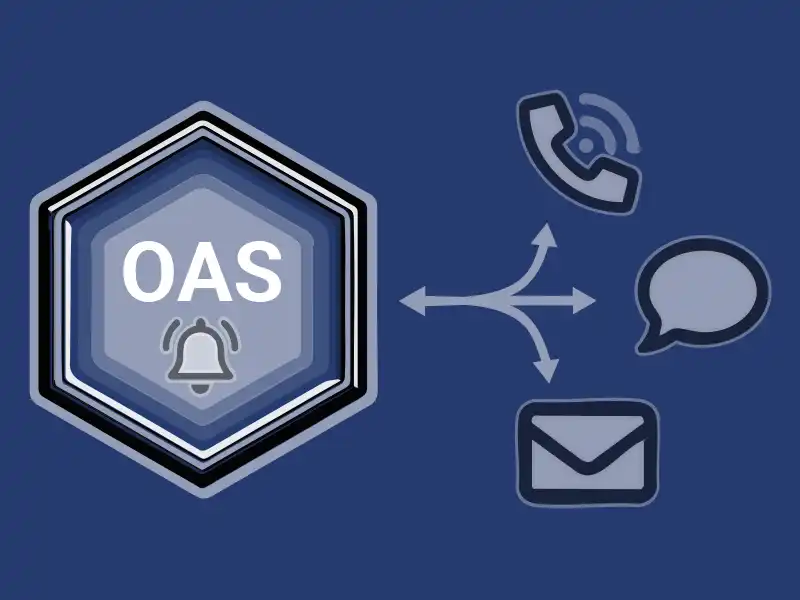
OAS Alarm Logging and Notification captures events across all data points, logs alarms to open databases for analysis, and triggers real-time SCADA alarm notifications. Alerts can be sent via email, SMS, or voice, helping teams respond quickly, reduce downtime, and stay ahead of abnormal process conditions.
a server-based, highly-scalable, network platform that enables the transport and transformation of your data
Data HistorianAchieve fault-tolerant logging, zero data loss, and multi-destination storage with our high-performance Store and Forward technology.
Visualization ToolsBuild Visualizations, User Interfaces, and server configuration interfaces for .NET, web technologies, native iOS and Android mobile apps
Device & Data ConnectorsThe OAS Platform provides rapid communications and connectivity to a wide variety of PLCs, devices, and databases.
IoT ConnectorsConnect to cloud-base IoT gateways such as AWS, Azure IoT Hub, Azure Event Hubs, Kafka, and more.
Alarm Logging & NotificationCapture events on each data point, log to open formats for historical analysis and archiving, and trigger real time notifications
SDKs & APIsExplore a wide variety of Developer Tools and APIs to allow you to create applications and system integrations to execute in any environment.
Networking FeaturesOpen Automation Software implements edge computing with a Distributed Network Architecture.
Download a fully functional trial of Open Automation SoftwareKey Features & Benefits
Industry 4.0 Data Sources
Modbus, Allen Bradley PLCs, Siemens S7 Controllers, OPC UA, OPC DA, MQTT, Sparkplug B, MTConnect, AWS IoT Core, Kafka, .NET, REST Clients, and Databases
Real Time Notification
Take action as soon as possible when data falls out of range. Notify users of alarm activity to virtually any client destination, via email, SMS, and voice. This includes integration with your PLC alarm system and SCADA alarm notification software.
Log Alarms to Open DBs
Track PLC alarm and HMI alarms over time for offline review and predictive analytics. Log to MS SQL Server, Oracle DB, mySQL, SQL Azure, MongoDB, MariaDB, PostgreSQL, SQLite, Amazon Aurora, Amazon RDS, and CSV files.
Alarm Visualization
Built-in interactive components allow you to create HMIs with live and historical alarms, supporting comprehensive HMI alarm management across desktop apps, web applications, and mobile apps.
Monitor Any Source of Data
OAS supports a large library of Industry 4.0 data sources, including Allen Bradley and Siemens PLCs, Modbus and MTConnect devices, OPC UA and DA Servers and Clients, Databases, applications, and more.
Once connected, data from any source can be monitored, triggering PLC alarm notifications, logging, and visualization using alarm SCADA tools.
Custom Alarm Behaviors
Alarms can be set up to monitor both analog and digital signals using fixed limits, adjustable ranges, or tracking values. You can define conditions like high-high, high, low, low-low, rate of change, and on/off states.
It’s easy to fine-tune alarm settings with options like dead band filtering, and you can even automate when alarms are enabled or disabled based on the time of day or other system values. With support for OPC UA, OPC Alarm & Events, and all OAS IIoT data sources, your SCADA alarm management software and PLC alarm system stay flexible, responsive, and easy to manage.

Alarm Visualization
Alarm .NET
The OAS Alarm .NET product provides real-time alarming for WinForm and WPF applications. The interactive control allows users to visualize, filter, and manage real-time and historical alarms.
Web Alarm
The OAS Web Alarm product allows you to display real-time and historical alarms in an interactive table, viewable on any device with a web browser.
Open UIEngine
Enabled by the Web Alarm product, the Open UIEngine includes a robust interactive alarm viewer for real-time and historical alarms.
Common Use Cases
Email or Text Production or Asset Status
Create a string calculation tag containing all status information that can be sent based on time or event.
Summarize Alarm States
Use the Tags tab within an Alarm Notification group to track system health, including:
Number of active alarms
Alarm activity over the last 24 hours
Presence of unacknowledged alarms
This makes process alarm management easier to understand at a glance.
Alarm Escalation
Utilize the Tags tab in alarm notification groups to escalate unacknowledged alarm conditions over time. For more details, view the Alarm Escalation video. Learn more
Learn how thousands of customers are using the OAS Product Platform around the globe to achieve truly open industrial automation
24/7/365
Support
Technical support available by phone, chat, and email
30+ Years
Experience
Product efficacy, market testing, and reliability
Used in 10K+
Data Servers
OAS is used in thousands of businesses worldwide
OAS Platform Features
Cross-Platform Support
Run OAS on Windows, Linux, Docker Containers, or low-footprint devices such as a Raspberry PI 4.
Networking
OAS is an edge solution that offers flexible networking options for standalone installations, multi-tenant data aggregation, and even secure unidirectional data transport.
Programmatic Setup
Utilize our .NET SDK or REST API to automate setup and integrate alarm management software into your existing systems. You can also import and export CSV files, which helps you work with Excel and third-party applications.
Calculations, Time On, Counts, and Totals
Merge data from various controllers and additional data sources while performing real-time calculations without coding. Track time-on values, state changes, counts, and aggregated totals across your system.
See How We Compare
The initial cost of OAS is far less than our competitors – but the savings don’t stop there. We work with OEMS and System Integrators to provide perpetual licenses with quantity discounts with flexible tag pricing and unlimited client connections.
FAQ
What is industrial alarm management?
Industrial alarm management helps monitor, prioritize, log, and respond to abnormal system conditions. It makes it easier to spot issues quickly, cut down on alarm noise, and keep operations running smoothly.
How is SCADA alarm management different from basic PLC alarms?
PLC alarms handle local conditions at the controller level. SCADA alarm management brings alarms from multiple PLCs, HMIs, and data sources into one place, adding notifications, visualization, and historical reporting.
Can OAS send alarms without a full SCADA system?
Yes, OAS works as a standalone alarm management software and can send email, SMS, or voice alerts without a traditional SCADA interface.
Does OAS support HMI alarms on web and mobile devices?
Yes. HMI alarms can be viewed on desktop, web, and mobile applications using Alarm .NET, Web Alarm, and Open UIEngine.
How fast can alarms be set up?
Most users install OAS in minutes and start configuring alarms the same day, using either no-code tools or programmatic setup for more advanced needs.